
Throwback 21
Shirt Creator
Put your own design on your MyPLAYER's shirt. Upload a PNG with a transparent background and our staff check it.
- Make your designA PNG with a transparent background. The template below shows where it sits on the shirt; its grey guide lines are taken out for you when you upload.
- Upload itUnder New design: check it on the shirt, then press Send for review.
- Staff review itMy uploads shows each design as approved, or why not; then you can send another.
Loading...
Sign in to make your shirt
- Type
/shirtin the TB21 Discord server. - Press Open the shirt page in the bot's private answer.
- Press Continue. The creator (New design: shirt colour and your PNG) and My uploads open here.
You stay signed in for 30 days in the browser where you pressed Continue. Another browser, or your phone, needs its own /shirt link. On a phone, if Discord opens the link in its own window, open it in your browser first, then press Continue there.
My uploads
Every design you sent and where it stands.
New design
Pick a shirt colour and your PNG, check it on the shirt, then send it to staff.
1Shirt colour
2Your design
Rules and template
- PNG only. JPG has no transparency.
- Exactly 512 x 512 or 1024 x 1024 pixels.
- Transparent background. Clear parts show the shirt underneath; solid parts are printed.
- 1 MB at most.
- Up to 6 approved designs and one waiting for review at a time; 3 uploads per 24 hours.
- Staff review every design before it is approved, and can take one down later.
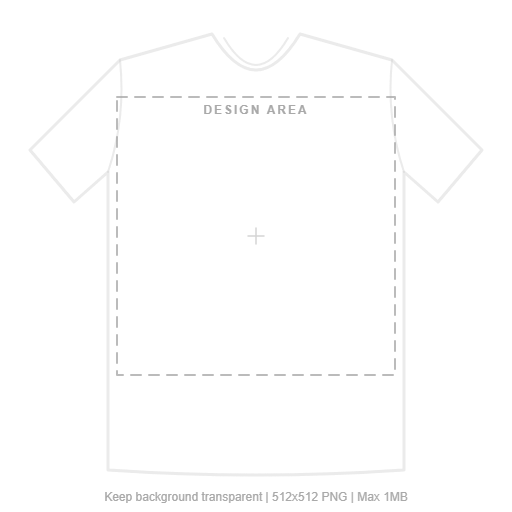 Download the templateDesign inside the dashed box, hide the template layer, export as PNG.
In the game, your approved designs are logos in the T-shirt designer (the park kiosk, or customizing your MyPLAYER): put one on a shirt there and save it.